Blog · plosives · mic placement · recording · sound check
Plosives: what those pops on your P sounds are, and how to stop them before you record
Why P and B sounds pop and thump in audiobook recordings, the mic placement habits that stop the pops at the source, and how a two-minute sound check catches the problem before a chapter is recorded.
Hugh Sung ·
You usually meet this problem on the listen-back. The first chapter is recorded, the headphones go on, and every P arrives with a little thump under it, as if someone tapped the microphone each time you said "Peter." It sounded fine while you were reading. Now you are choosing between living with it, repairing dozens of pops one at a time, or recording the chapter again.
What a plosive actually is
Those pops are called plosives, and they are not a mystery once you know what they are. Some sounds are made with a small burst of air. P, B, and T all push a puff out of your mouth as you say them. Speak straight into a microphone and that puff hits the capsule dead-on. The capsule cannot tell the difference between your voice and a tiny gust of wind, so it records both, and the gust becomes a pop or thump that sits inside the word.
Why placement beats repair
That last part is why placement beats repair. A pop is not a separate sound sitting next to your voice, waiting to be lifted out. It is a burst of low energy tangled into the word itself. EQ can thin it out and thin your voice along with it. Editing can soften the worst offenders one by one, and across a whole book that means hundreds of small repairs. Moving the microphone takes ten seconds and prevents all of them.
Angle: the biggest fix
The single biggest fix is angle. Do not speak straight into the mic. Turn it slightly to one side, or sit slightly off to its side, so the stream of breath from your P sounds passes beside the capsule while your voice still arrives at full strength. Your voice travels in every direction. Your breath travels in one. Aim the breath somewhere harmless.
Distance: closer is not automatically better
Distance is the second fix. For most microphones, a fist's width to about six to eight inches is the working range. Closer is not automatically better. Get very close and two things happen: the bass in your voice swells up, an effect engineers call proximity effect, and every puff of air lands harder. Drift too far away and the room starts joining in, which is a different problem with its own repair bill.
Third, use a pop screen
Third, use a pop screen. A pop filter stretches a thin screen between your mouth and the microphone, and it breaks the burst of air into harmless turbulence before the burst can reach the capsule. Keep a small gap of a couple of inches between the screen and the mic; a screen pressed right against the grille only does half the job. It is the cheapest tool in narration and it needs no settings, no software, and no skill to use.
The balance underneath all three fixes
Underneath all three fixes is one balance to find. You want to be close enough that your voice clearly wins over the room noise, and angled and spaced so the air misses the capsule. If your level is already right, resist the urge to turn the gain down to hide the pops. A quieter recording buries the voice and the pops together, and mastering will raise both of them right back up. Fix the air, not the level.
Test before the chapter, not after it
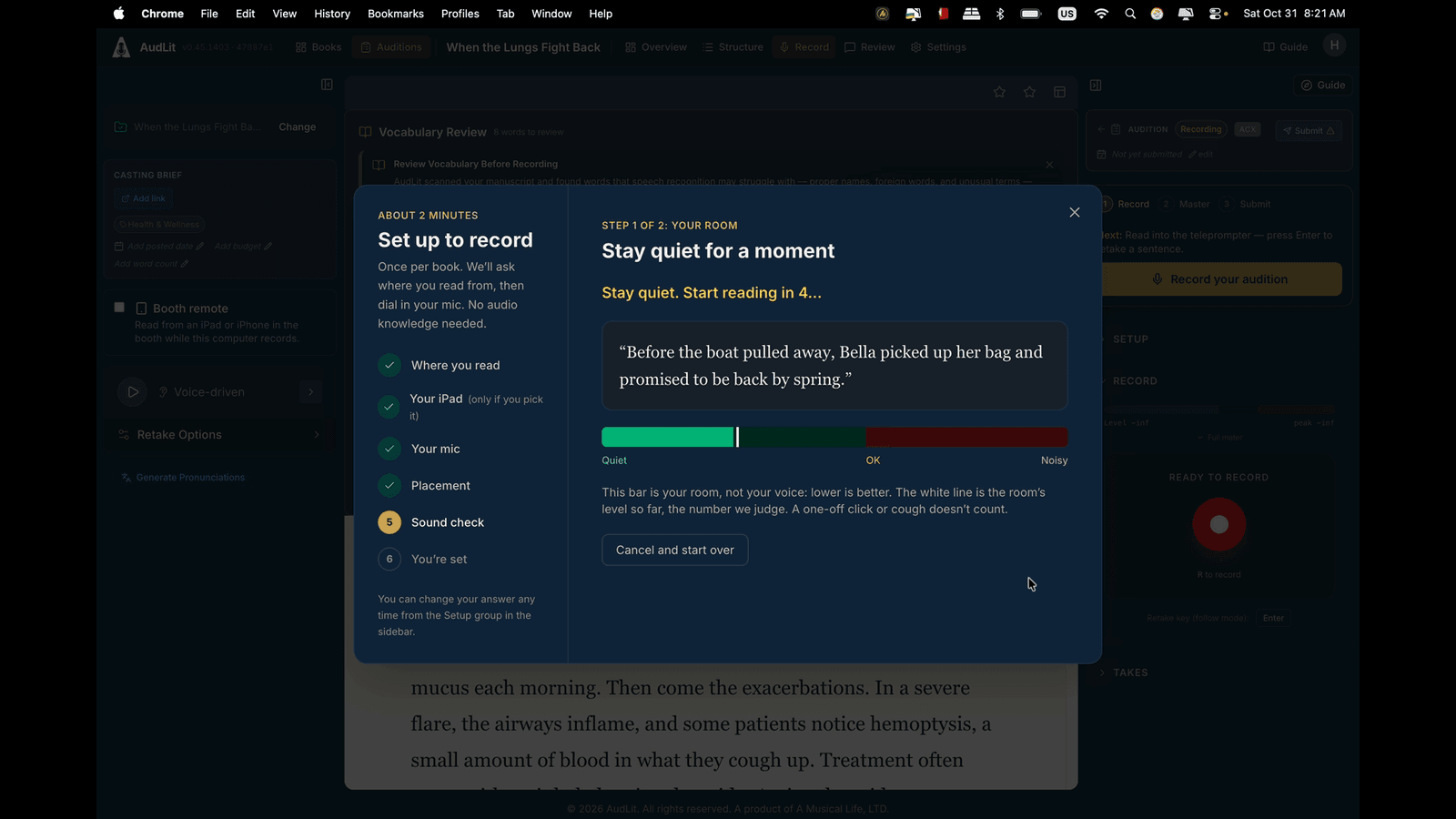
Last, test before the chapter, not after it. Read one line built to cause trouble, the old "Peter Piper" tongue twister or a sentence from your own book loaded with P and B words, at the same energy you perform with, and listen back on headphones. Thirty seconds of testing tells you whether your placement works. It is a much better time to learn than at the end of chapter one.
The check AudLit runs
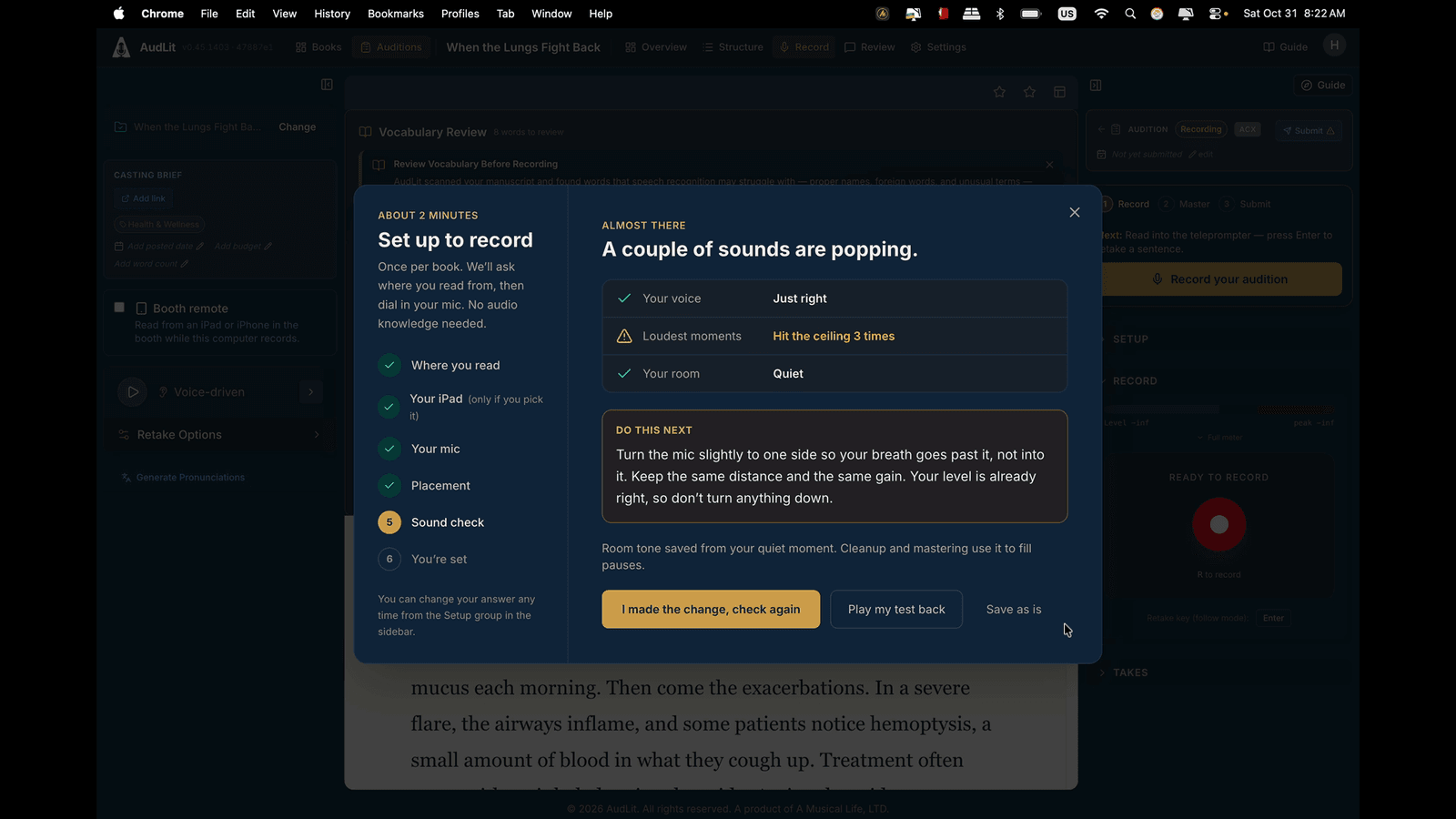
This is the check AudLit runs when you set up to record a book. The setup takes about two minutes and happens once per book. It measures your room, then asks for a short test read and reports what it heard in plain language. A narrator with a plosive problem sees it stated flatly at the top: "A couple of sounds are popping." The rest of the picture sits beside it. The voice is rated "Just right," the loudest moments are flagged for hitting the ceiling, and the room is confirmed quiet. Then comes one concrete instruction instead of a settings menu: "Turn the mic slightly to one side so your breath goes past it, not into it. Keep the same distance and the same gain. Your level is already right, so don't turn anything down." Make the change and check again, play the test back, or save as is. The sound check does not remove anything from a recording. It catches the problem while fixing it still costs nothing.
The cheapest plosive is the one you never record. Two minutes of placement at the start of a book is the entire secret, and it works in any app, including the one you already use. If you want to hear the whole setup flow, the full tutorial walks through it here: https://youtu.be/mXeCgO2PMeg and the free tier at audlit.com includes 2 finished hours to try it on a real chapter.